Nvidia plans DLSS 5 support for RTX 40 GPUs but limits player controls
Nvidia says DLSS 5 will launch first on RTX 50 GPUs and later receive official support on the RTX 40 series once performance on the newer cards is more fully tuned.[6] Gamers will receive a simple on-or-off toggle, while developers retain granular controls over model selection, intensity settings a…
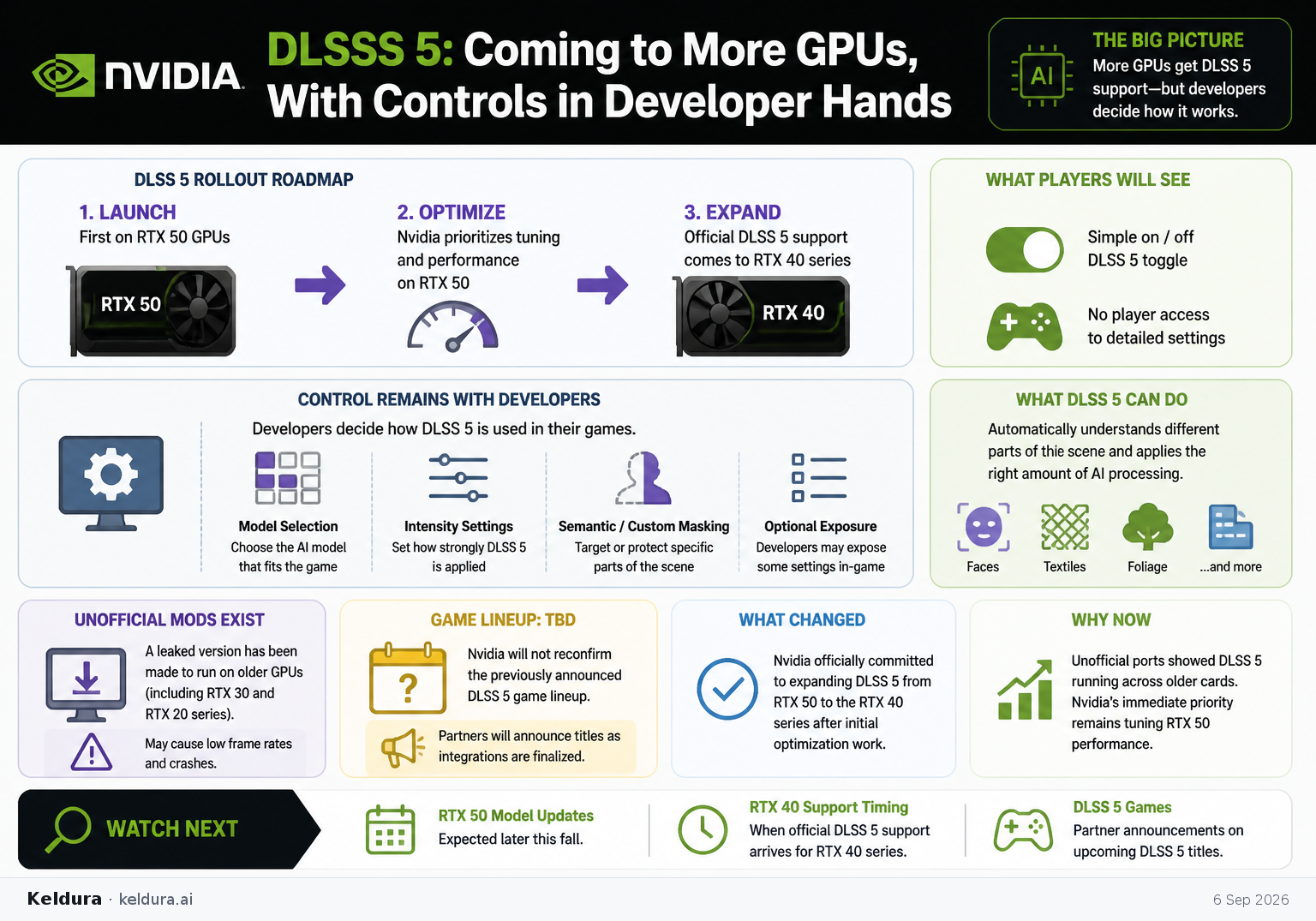
Nvidia says DLSS 5 will launch first on RTX 50 GPUs and later receive official support on the RTX 40 series once performance on the newer cards is more fully tuned.[6] Gamers will receive a simple on-or-off toggle, while developers retain granular controls over model selection, intensity settings and semantic or custom masking.[6]
Why it matters: The expansion will bring Nvidia’s AI-rendering system to more existing hardware, but it also preserves developer control over how the technology alters a game’s visuals rather than giving players the slider access demonstrated by unofficial mods.[6]
Key insights: Modders have already made a leaked version run on older hardware, including RTX 30 and RTX 20 cards, although those implementations can suffer low frame rates and crashes.[6] | Developers may expose selected DLSS 5 settings through their own game menus even though Nvidia will not provide full player-facing controls.[6] | DLSS 5 can automatically distinguish scene elements such as faces, textiles and foliage and apply different amounts of AI processing to them.[6] | Nvidia declined to reconfirm the previously announced DLSS 5 game lineup, saying partners will announce titles as integrations are finalized.[6]
Cheatsheet facts: What changed: Nvidia officially committed to expanding DLSS 5 from RTX 50 GPUs to the RTX 40 series after initial optimization work.[6] | Why now: Unofficial ports showed the technology running across older cards, while Nvidia says its immediate priority remains tuning RTX 50 performance.[6] | Watch next: Nvidia’s expected RTX 50 model updates later this fall, the timing of RTX 40 support and partner confirmation of upcoming DLSS 5 games.[6]
Nvidia says DLSS 5 will launch first on RTX 50 GPUs and later receive official support on the RTX 40 series once performance on the newer cards is more fully tuned.[6] Gamers will receive a simple on-or-off toggle, while developers retain granular controls over model selection, intensity settings and semantic or custom masking.[6]
Why it matters: The expansion will bring Nvidia’s AI-rendering system to more existing hardware, but it also preserves developer control over how the technology alters a game’s visuals rather than giving players the slider access demonstrated by unofficial mods.[6]
Key insights: Modders have already made a leaked version run on older hardware, including RTX 30 and RTX 20 cards, although those implementations can suffer low frame rates and crashes.[6] | Developers may expose selected DLSS 5 settings through their own game menus even though Nvidia will not provide full player-facing controls.[6] | DLSS 5 can automatically distinguish scene elements such as faces, textiles and foliage and apply different amounts of AI processing to them.[6] | Nvidia declined to reconfirm the previously announced DLSS 5 game lineup, saying partners will announce titles as integrations are finalized.[6]
Cheatsheet facts: What changed: Nvidia officially committed to expanding DLSS 5 from RTX 50 GPUs to the RTX 40 series after initial optimization work.[6] | Why now: Unofficial ports showed the technology running across older cards, while Nvidia says its immediate priority remains tuning RTX 50 performance.[6] | Watch next: Nvidia’s expected RTX 50 model updates later this fall, the timing of RTX 40 support and partner confirmation of upcoming DLSS 5 games.[6]
X copy pack
Edition complete
You've reached the end of this edition.